Padel Pro Shop: rebuilt theme, racket quiz and multilingual SEO
Rebuild of the Shopify store for a padel retailer in Spain: a quiz that helps the customer pick a racket, countdowns run from metaobjects and SEO in several languages.
What is Padel Pro Shop?
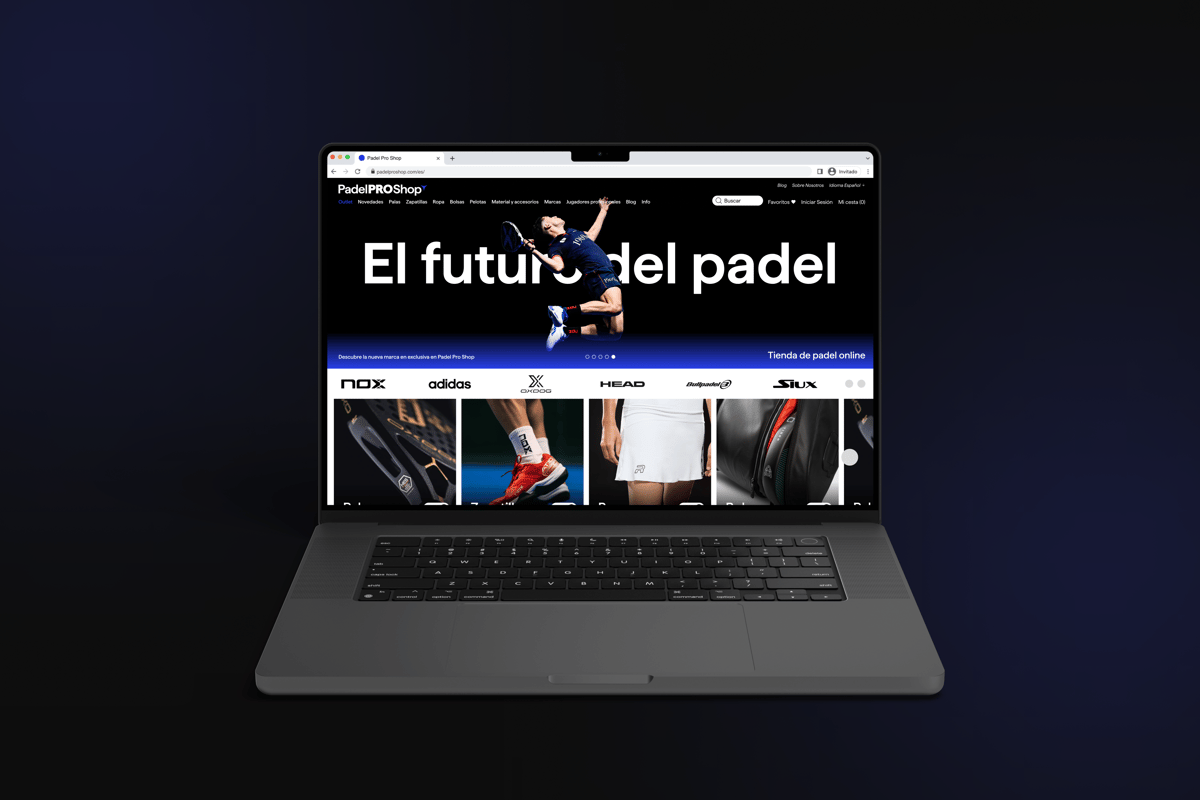
One of the largest padel stores in the world, based in Spain. They have been selling for years and have a great reputation. The goal was a theme that converts better and has an updated design, without losing the brand’s identity.
New sections
I started from the Clean Canvas Enterprise theme and built custom sections on top of it, including a new product page, a mega menu and a size guide.
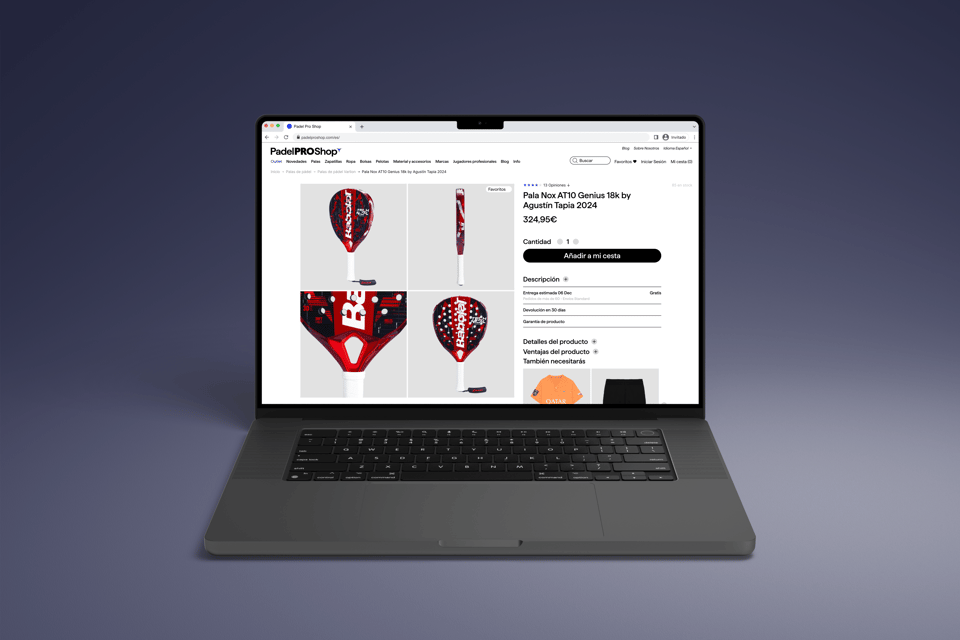
Compared to the old theme, the product page is easier to understand: specs, delivery date and personalization are shown right on the page.
Other new sections
Customizations
Name Personalization
Padel Pro Shop wanted to offer a name personalization option for some of their products. They already had a solution in place from their old theme that used products to handle the additional cost of personalization rather than Shopify’s built-in customization features.
I kept the product-based approach but changed how it shows: the personalization product no longer appears as its own line, it is merged into the main product in the cart. If the customer removes the racket, the engraving goes with it.
Delivery Date
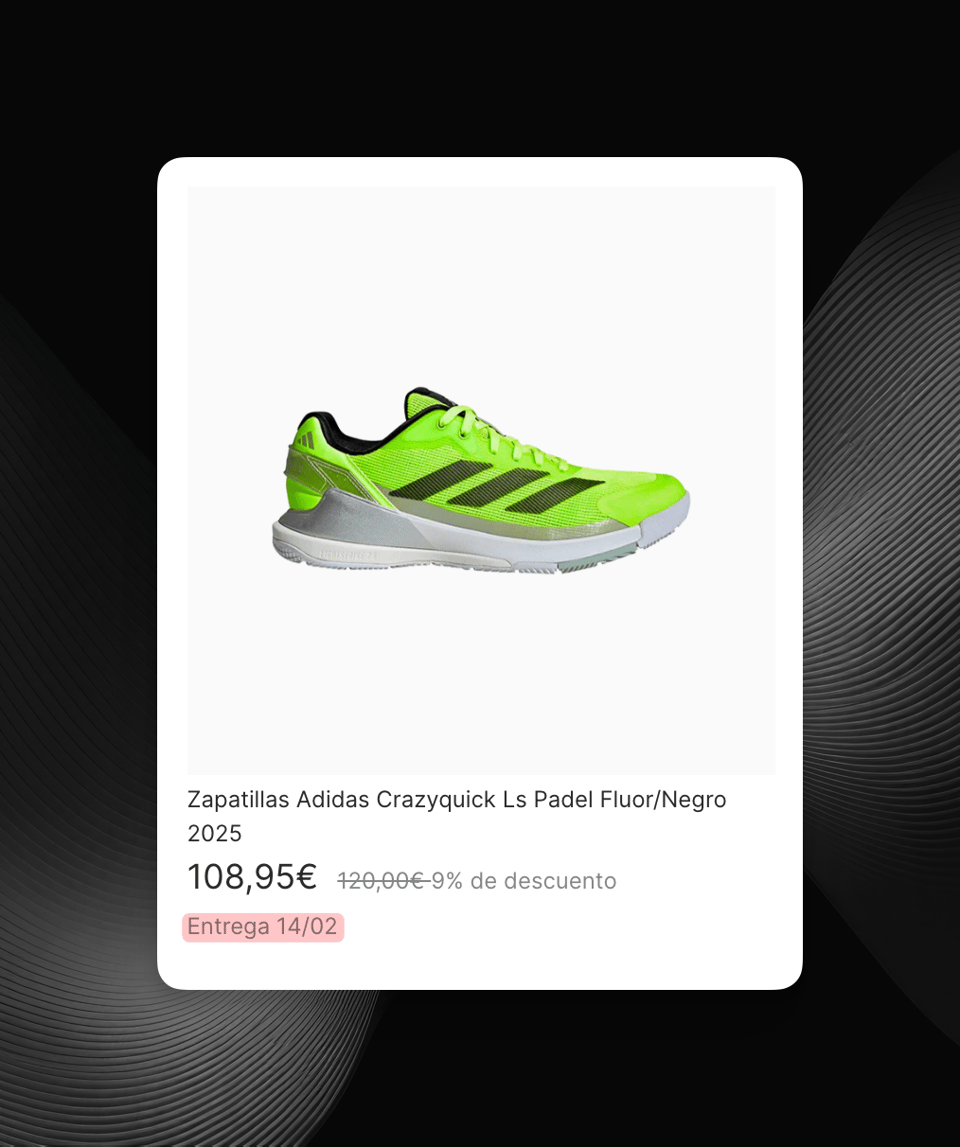
The delivery date is calculated automatically from the current date, the product’s stock and the warehouse’s working days.
Quiz Section & Players Slider
Quiz Section
I also built a product recommendation quiz for Babolat padel rackets. The quiz asks a few questions about:
- Playing style
- Experience level
- Power vs control preferences
- Budget range
The quiz narrows the options down step by step and ends with the Babolat rackets that fit best. That makes the choice easier for customers who are not sure which model to pick.
The quiz is edited in the normal theme editor: each question is a section and each answer is a block in the section. So the quiz can be changed without any app.
Players Slider
The players slider shows the padel pros the store sponsors and the rackets they play with. Each player has their own collection, and Padel Pro Shop wanted a simple way to browse them on the home page.
The slider is built using metaobjects to store player data like:
- Name and ranking
- Player image
- Associated product collection
- Description detailing their career
This setup makes it easy for the store admin to update player information and rankings through Shopify’s admin interface. The section sorts the players by ranking.
When you pick a player, their collection loads below the slider and the URL updates. So the customer can shop what their favourite player uses, and the page keeps all the SEO a normal collection has.
The slider can be swiped on mobile, and the player images only load when they are needed so the page does not get heavier.
SEO and Hreflang Optimizations
One of the main SEO challenges was handling translated product URLs (handles) and hreflang tags across multiple languages. Because Padel Pro Shop wanted translated handles but also manual control of the hreflang links on the page I ran into a problem:
By default, Shopify only exposes the primary language’s product handles in the storefront, so hreflang cannot be done right with translated handles.
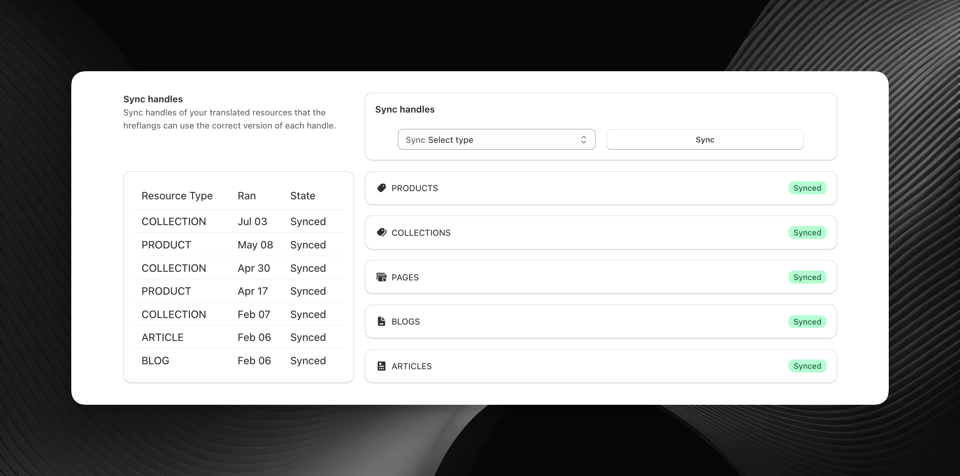
To solve this, I developed a custom hreflang syncing app that:
- Stores the translated product handles in metafields per language so the theme can read them
- Generates correct hreflang tags using the translated URLs
- Syncs everything automatically when products are updated
Now Google can see which product pages are translations of each other, which is what hreflang is for.
Collection pages
On the collection pages I built:
- Infinite scroll instead of pagination
- Sold-out products go last in every collection
- Filters with:
- Price ranges
- Brand
- Product type
- Results that update without a page reload
- A filter drawer that works on mobile
Countdown & Sales Features
The store runs “Pro Shop Thursdays” every week and bigger sales a few times a year. I built a countdown for that, in a few parts:
Dynamic Navigation
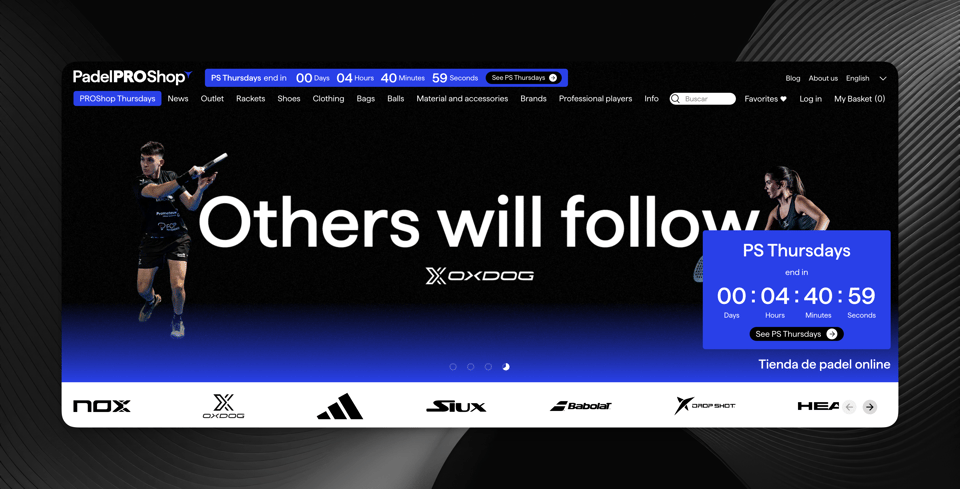
The system automatically manages a featured menu item that appears only during active countdowns. So for “Pro Shop Thursdays” it links to the Pro Shop Thursdays collection, and on black friday to the black friday collection. This menu item also shows with a special badge to bring more attention to it.
Where the countdown shows
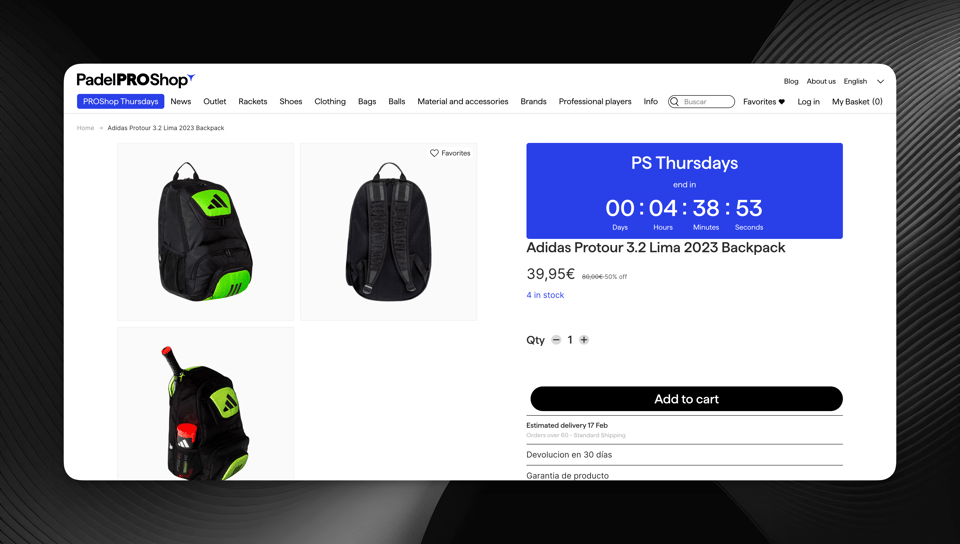
The countdown shows in four places:
- Sticky header banner
- Homepage hero section
- Product page price section
- Cart drawer
So wherever the customer is, they can see the sale has an end date. The product pages also have a stock counter that shows how many are left.
Metaobject-Driven Countdowns
The countdown system is fully managed through Shopify metaobjects, allowing store admins to:
- Set start and end dates/times for sales
- Customize countdown messaging and styling
- Configure which collections should be featured in the menu
- Set up multiple concurrent countdowns for different promotions
All of it is set in metaobjects in Shopify admin, so the store team can run sales without asking a developer.
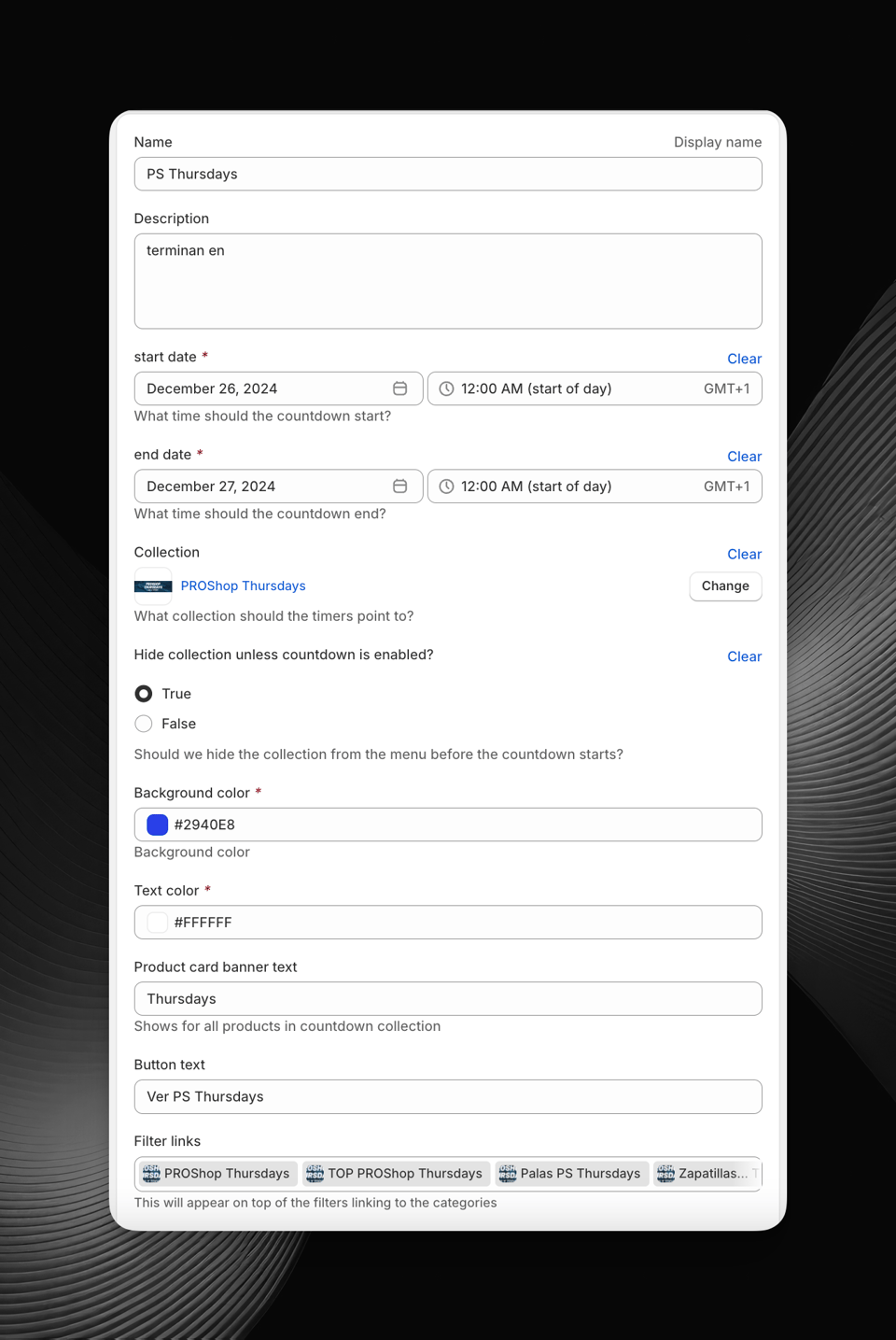
The countdowns run every week for Pro Shop Thursdays and during the bigger sales, and the store team manages them themselves in admin.